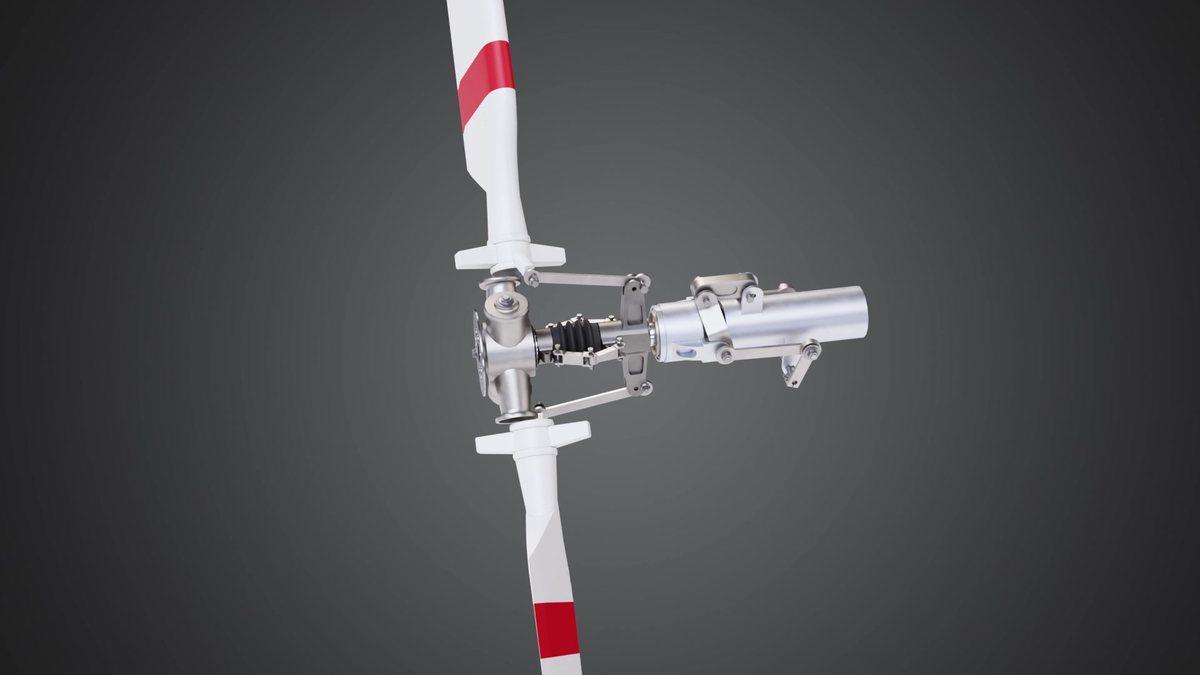
A 360° product rotation is the simplest animation we make. The product sits in the middle of the frame and turns one full circle. That's it.
It is also the one people underestimate the most. A spin either looks like a real product sitting under good lights, or it looks like a plastic model on a cake stand. The difference is mostly in a few decisions made before anyone opens the software.
We've made a lot of these over the years, including many for GRYB, one of our longest running clients. Here's what we've learned about getting them right.
This is the first thing to decide, because it changes what we deliver.
A video spin is a normal MP4. It plays on its own and loops. It works on a product page, in a LinkedIn post, on a trade show screen or in a sales deck.
An interactive viewer is different. The visitor drags with the mouse or finger and the product turns with them. For this we don't send a video. We send an image sequence, usually 24, 36 or 72 frames, and your web developer drops it into a 360 viewer plugin.
More frames means a smoother drag, but a heavier page. For most product pages 36 frames is a good middle. If your product has small details people really want to inspect, go to 72.
If you are not sure, ask for both. Rendering the frames for one usually gives us most of what we need for the other.
In 3D you can rotate the product, or move the camera around it. They sound the same. They don't look the same.
When the product turns and the lights stay where they are, the reflections slide across the metal as it moves. That's what a real product on a real turntable does, and your eye knows it.
When the camera and lights travel around together, the shading barely changes. The product looks flat, like a sticker. So we almost always turn the product and keep the light setup fixed.
A spin that's too fast makes heavy equipment look like a toy. For machines and industrial products, one full turn in roughly 8 to 12 seconds feels right to us. Small consumer products can go a bit faster.
Camera height matters too. Set it slightly above the product, at roughly the eye level of someone standing next to it, and it feels natural. Drop it a little lower and a big machine starts to look big. Go too high and you lose the sides.
The first frame is the one most people see, because it's the thumbnail and the frame before anyone presses play. Decide which side of the product sells it. The control panel, the brand plate, the side with the outlets. Start there, not at whatever angle the CAD file happened to open at.
Also check that the loop is clean. The last frame should lead straight into the first one, with no repeated frame. A repeated frame shows up as a tiny stutter every turn, and once you notice it you can't stop noticing it.
One thing that helps us a lot: CAD files are full of internal parts nobody will see in a spin, like bolts inside housings and wiring inside panels. We strip those out. The scene gets lighter, renders faster, and your budget goes into the parts people actually look at.
A 10-second 360° spin made from your CAD files starts at $250. Our minimum project is $500, and most spin projects reach that anyway. Clients usually want a few still renders of the product as well, or the CAD file is missing parts we have to model, like decals, cables or a stand. Some clients simply order two spins, for two products or two colour options.
Longer animations start at $1,200 per minute when you have CAD files. If we have to build the product from photos or drawings, modeling is quoted separately. There's more detail in our 3D product animation cost guide.
A 360 shows what the product looks like. It doesn't show how it works, how it goes together, or how it gets installed.
If your buyers keep asking "what's inside" or "how does it connect", a spin won't answer that. That's when an exploded view or a how-it-works machine animation does more for you. A lot of our clients start with a spin for the website and come back for the bigger animation once they see it working.
We make 360° product rotations for manufacturers in the US, UK and Europe, straight from your CAD files. Send us the files and tell us where the spin will be used. We'll tell you what format makes sense and what it'll take. Contact us here.
