Ketterer, a German drive maker founded in 1832, needed one video that shows what's inside its in-wheel drive motor and where it's used. We built it from their CAD files: an exploded 360° view of the motor, then the drive at work in three places where it sells most, an automated guided vehicle in a warehouse, an aircraft tug in a hangar, and a service robot in a coffee shop. It was the first of three projects we've done with Ketterer.

An in-wheel drive puts the motor inside the wheel itself. For the engineers who buy it, that's the appeal: the drive sits inside the wheel instead of beside it, so the vehicle can be smaller and simpler.
The trouble is that from the outside it just looks like a wheel. Ketterer wanted a video that does two jobs: show what's packed inside, and show buyers from different industries that this drive fits their kind of machine.
We started with a long, detailed call with Christian at Ketterer to go through the product and what the video needed to say. Getting that call on the calendar took about a week, because the client was busy, but it was worth the wait. Most of the decisions that shaped the video came out of that one conversation.
Ketterer's drive goes into a lot of different machines, and the first list of use cases was long. Showing all of them would have turned the video into a fast slideshow where nothing sticks.
On the call, we narrowed it down to the three industries that use the drive the most:
Three scenes gave each use case enough time to land, and together they still showed the range: heavy loads, heavy vehicles and machines that work around people.
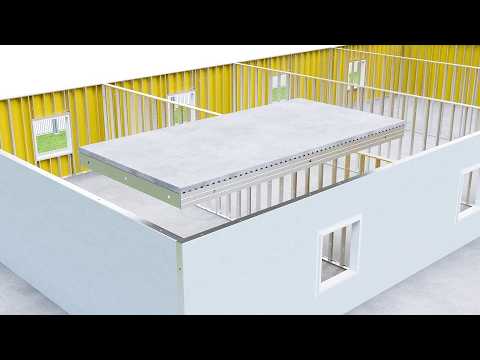
A drive only makes sense once you see what it's moving. So instead of showing the vehicles on a blank background, we built a full environment for each one:
Each scene opens on the environment, then moves in on the vehicle, so the viewer always knows where the drive is and what it's doing.
The exploded view came later. At the start, Ketterer sent CAD for the outside of the motor only, so the first draft showed the drive as a closed unit in its three scenes. Once they saw it, they wanted buyers to see inside too. They sent updated CAD with the internal components, and we added a 360° exploded view where the motor comes apart layer by layer and turns so every part is visible. It was a new piece of work, so we quoted it separately and agreed on it before starting.
The plane was too big. In the hangar scene, we'd modeled the aircraft at the size of a passenger jet. Christian pointed out that this tug is made for private planes, so a big jet gave the wrong idea of what the drive is built for. We swapped it for a small private aircraft, and the scene became accurate as well as good-looking.
It's the kind of detail only the client knows, and it's why we always show drafts early. In total the project went through three rounds of revisions before final delivery.
Three full environments plus a detailed exploded motor made for heavy scenes and long render times. We gave it the extra time rather than cut detail from the scenes.
The final video takes the viewer from inside the drive, part by part, out into three working environments, so an engineer in logistics, aviation ground support or robotics can see the drive in a machine like theirs.
"Great working, great delivery and great result."
— Christian, Ketterer
That project was in 2021. Ketterer has come back to us for two more projects since.
We can animate the outside from housing CAD alone. To show the inside accurately, we need CAD for the internal parts too. Ketterer started with the housing and sent internal CAD later, and we added the exploded view then.
The product comes apart piece by piece on screen, usually while turning, so every internal component is visible and in its real position. It's the clearest way to show how something is built without a cutaway drawing.
Usually not. Three well-built scenes stick better than ten quick ones. Pick the industries that buy the most, and show those properly.
Both. For Ketterer we built a warehouse, a hangar with a runway, and a coffee shop from scratch around their drive.
Yes. Ketterer is in Germany, and we've done three projects together. We work remotely, with calls scheduled around your time zone.